A mobility device is more than equipment; it can be part of someone’s daily route to work, appointments, and family life. When a wheelchair, scooter, or walker needs repair, even a small problem can disrupt that routine. A loose brake lever, worn tire tread, or battery that loses charge quickly may be an early warning. Catching these signs can help prevent avoidable wear.
Learning how to extend the lifespan of mobility devices starts with consistent, practical care. Check the owner’s manual for cleaning instructions, weight limits, battery guidance, and recommended service intervals. Keep tires free of embedded grit, wipe down surfaces with suitable products, and store the device in a dry place when possible. For powered models, use the charger specified by the manufacturer and look for frayed cables or unusual heat. Small checks matter.
A simple routine helps. Yet no checklist catches everything. Even careful owners can miss a change in steering or braking, especially when the device still seems usable. If a part feels loose, makes a new noise, or behaves differently, stop and seek advice from a qualified mobility technician or healthcare professional. Avoid improvised repairs that could affect safe operation. Maintenance needs vary by device, climate, frequency of use, and the person using it, so there is no single schedule that fits everyone. The aim is not to make equipment last forever. It is to keep it dependable, comfortable, and safe for as long as its condition allows.
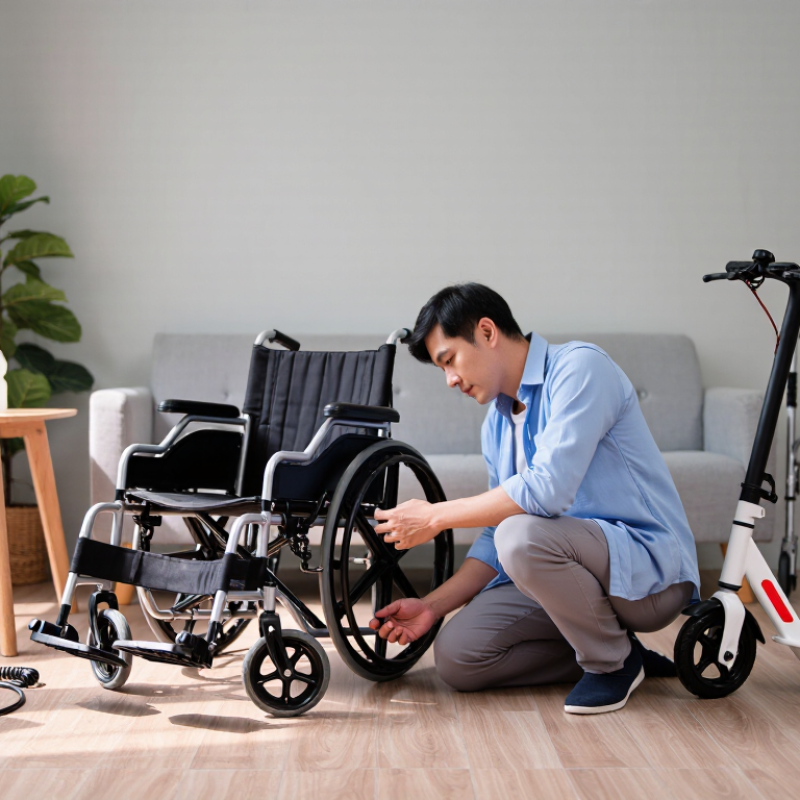
Mobility devices last longer when each component is used within its design limits. A frame carries weight, while wheels or casters handle different surfaces. Brakes must engage firmly, and folding joints should lock without wobble. On powered devices, batteries, wiring, and controls need protection from moisture and impact. Small parts matter.
Usage requirements vary by device and by the person using it. Check the user guide for weight capacity, recommended surfaces, charging instructions, and routine inspection points. A walker designed for indoor floors may feel unstable on gravel; a mobility scooter can strain its tires on steep, rough paths. Keep loads balanced, avoid hanging heavy bags from handles, and use ramps only when the device is rated for them. Before each trip, look for loose fasteners, cracked tires, unusual sounds, or weaker braking. Stop using a device if a safety-critical part seems damaged, and ask a qualified mobility-equipment professional to assess it. It is tempting to dismiss a quiet squeak as harmless, but that can hide early wear. Maintenance schedules are useful, yet they do not replace noticing changes in handling. Fit and posture matter too: poorly adjusted supports can shift weight and stress joints. Good use is specific, not generic.
Dust, grit, and dried spills can work into wheel hubs, brakes, and seat seams. Wipe frames with a soft, damp cloth and mild soap, then dry them fully. Avoid spraying water near motors, controls, or electrical connectors. Check the device manual before using disinfectants; some finishes and fabrics can be damaged. Small habits matter.
Once a month, inspect tires, casters, fasteners, and upholstery for wear or trapped debris. For powered devices, disconnect power before cleaning if the manual allows it. Store the device indoors, away from damp floors, direct sun, and extreme heat. Battery care differs by type, so follow the maker’s charging and storage instructions rather than guessing. I’ve seen a quick wipe help, but it won’t replace a proper inspection.
Tips: Keep a dry cloth near the charging area. Brush grit from wheel treads after outdoor use.
WHO and UNICEF’s 2022 Global Report on Assistive Technology estimates that 2.5 billion people need one or more assistive products, rising to 3.5 billion by 2050. The WHO wheelchair-service guidelines also emphasize user training in maintenance and repair. A simple care log can help: note cleaning, unusual noises, and repairs, even if the notes are imperfect.
A short inspection can catch wear before it affects a daily trip. Check pneumatic tires for low pressure, worn tread, cracks, or embedded stones. Follow the device manual for the correct pressure; solid tires do not need inflating. Look over the wheels for loose fittings or unusual wobble. Small clues matter. Before setting out, test the brakes in a clear, level area, following the manufacturer’s instructions. If braking feels weak, uneven, or unfamiliar, stop using the device until it has been checked by a qualified technician.
Moving parts deserve attention, too. Look at folding joints, hinges, and wheel connections for looseness, trapped grit, or visible damage. Listen for new squeaks or grinding sounds, and notice changes in steering. Wipe away dirt with a suitable cloth, but avoid spraying lubricant near brake surfaces or applying it where the manual advises against it. It is tempting to skip checks when everything seems normal; that habit is easy to fall into. A simple weekly routine, adjusted for use and conditions, makes wear easier to spot. Keep a note of recurring issues, even if they seem minor, and share it during servicing.
How to Extend the Lifespan of Mobility Devices
Maintaining Batteries and Electrical Systems
A mobility device’s battery works best when charging habits follow its user manual. Charge it in a dry, well-ventilated place, away from heaters and direct sunlight. Heat matters. Use the recommended charger, and avoid leaving cables where they can be crushed under wheels or caught on furniture. Check the power cord and visible connectors regularly for cracks, loose fittings, or exposed wires. Look closely near bends and plugs, where wear can be easy to miss. If a cable feels unusually warm or looks damaged, stop using it and ask a qualified service technician to inspect it. Don’t open a battery pack yourself.
Before cleaning, switch the device off and disconnect it from the charger. Wipe electrical housings with a soft, slightly damp cloth; keep water away from charging ports and connectors. Never spray cleaner directly onto electrical parts. If the battery becomes swollen, leaks, smells unusual, or grows hot during charging, stop charging and contact a technician. A simple log of charging and service dates can reveal changes over time, though keeping one may feel fussy. Even a brief note helps. Follow the manual’s guidance for long-term storage, since battery care varies by device and battery type.
| Maintenance Area | Suggested Check | Typical Frequency | Good Practice | Why It Matters |
|---|---|---|---|---|
| Battery charging | Charge the battery using the supplied or approved charger. | After use, or as directed in the device manual | Follow the charger indicators and the manufacturer’s charging instructions. Avoid routinely storing the device with a depleted battery. | Appropriate charging helps reduce avoidable battery stress and keeps the device ready for use. |
| Battery storage | Check the charge level before storing the device for an extended period. | Before storage and at the interval specified in the manual | Store the device in a dry location within the battery’s specified temperature range. Check charge periodically; storage requirements vary by battery type. | Long periods at very low charge or unsuitable temperatures can reduce battery performance. |
| Battery terminals and connectors | Look for looseness, corrosion, dirt, heat damage, or frayed wiring. | Monthly and whenever charging or operation seems unusual | Switch off and disconnect power before visual inspection. Do not use damaged connectors; have repairs handled by a qualified service provider. | Clean, secure connections support reliable power delivery and help identify faults early. |
| Charger and charging cable | Inspect the casing, plug, cable, and strain relief for damage. | Before each use | Keep the charger dry and use it in a well-ventilated area. Stop using it if the cable is damaged, the plug is loose, or it becomes unusually hot. | Damaged charging equipment can create electrical and fire hazards. |
| Power switch and controls | Confirm the switch, joystick, display, and indicators respond normally. | Before each trip | Check for warning lights, error messages, or intermittent operation. Consult the manual if a warning persists. | Early attention to electrical symptoms may prevent an unexpected loss of mobility. |
| Fuses and circuit protection | Check the manual for the location and rating of user-serviceable fuses, if any. | Only when a fault is indicated or a fuse has blown | Use only the specified fuse rating. Do not bypass a fuse or repeatedly replace one that blows; arrange a professional inspection. | Correct circuit protection helps limit damage from electrical faults. |
| Moisture and cleaning | Check for water exposure around batteries, connectors, and electrical housings. | After exposure to rain, spills, or damp conditions | Follow the device’s weather-resistance guidance. Do not spray electrical parts or charge a wet device; seek service if moisture may have entered the housing. | Moisture can cause corrosion, short circuits, or unreliable operation. |
| Battery performance | Note changes in range, charging time, or battery-level readings. | Regularly; compare with the device’s usual performance | Record notable changes and arrange a battery or system check if performance declines. Battery range varies with load, terrain, temperature, and battery condition. | Tracking changes helps distinguish normal variation from a developing battery or electrical issue. |
| Professional servicing | Have batteries, wiring, and electrical components inspected as recommended. | At the service interval in the device manual, or sooner if a fault occurs | Do not open sealed battery packs or attempt repairs beyond the user-maintenance instructions. | Qualified servicing can identify faults that are not visible during routine checks. |
Note: Maintenance and charging instructions differ by device and battery chemistry. Always follow the device and battery manuals; seek qualified service for damaged batteries, unusual heat, swelling, leaks, or persistent electrical faults.
A reliable repair schedule starts with the device’s manual and a simple inspection log. Check tires, wheels, brakes, cables, and fasteners weekly, especially after rough routes or heavy use. Look for cracks, loose fittings, uneven tire wear, and changes in braking. Small clues matter. Note the date and what you observed; even an imperfect record can reveal recurring problems. Follow the manufacturer’s maintenance intervals, and arrange a qualified service inspection when the manual recommends one. If steering or braking becomes unreliable, stop using the device until it has been assessed.
Replace worn components before they fail during everyday use. Tires with shallow tread or visible splits can reduce traction, while frayed cables and loose brakes may compromise control. Batteries that lose range unusually quickly need testing, not guesswork. Use parts specified for the device, since an apparently similar component may fit poorly or perform differently. Ask a qualified technician to handle repairs involving electrical systems, structural joints, or uncertain damage. Keep receipts and service notes together. They can help identify patterns, though they will not prevent every breakdown. Maintenance takes time, and schedules sometimes slip. Restart with a careful check.
A simple weekly check is useful, adjusted for how often and where you use the device. Look for low tire pressure, worn tread, cracks, embedded stones, loose fittings, or unusual wheel wobble.
No. Pneumatic tires need the pressure specified in the device manual. Solid tires do not need inflating.
Test them in a clear, level area before setting out, following the manual. If braking feels weak, uneven, or unfamiliar, stop using the device and contact a qualified technician. Don’t guess.
Check hinges, folding joints, and wheel connections for looseness, trapped grit, or visible damage. Notice new squeaks, grinding sounds, or changes in steering. Small clues matter.
Wipe away dirt with a suitable cloth, and follow the manual about lubrication. Keep lubricant away from brake surfaces. It is easy to apply it in the wrong place.
Use a dry, well-ventilated place away from heaters and direct sunlight. Heat matters. Use the recommended charger, and keep cables clear of wheels and furniture.
Stop using a cable with cracks, loose fittings, exposed wires, or unusual warmth. Ask a qualified service technician to inspect it. Check bends and plugs closely; wear can hide there.
Switch off the device and disconnect the charger first. Wipe electrical housings with a soft, slightly damp cloth, keeping water away from ports and connectors. Never spray cleaner directly onto electrical parts. If the battery swells, leaks, smells unusual, or gets hot while charging, stop charging and contact a technician. Don’t open the battery pack yourself. A brief charging and service log can help, though I might forget to keep one.
Learning how to extend the lifespan of mobility devices starts with understanding their components and using them according to their intended requirements. Regular care can help preserve both comfort and dependable performance. Clean the device with suitable methods, keep it dry, and store it in a safe place away from conditions that could cause damage. Check tires for wear, test brakes, and look over moving parts regularly so small problems can be addressed before they affect everyday use.
Battery and electrical systems also need consistent attention. Follow the device’s care instructions for charging, inspect connections for signs of damage, and avoid neglecting unusual changes in performance. Schedule repairs when needed, and replace worn or damaged components with compatible parts. A simple routine of cleaning, inspection, and timely maintenance can reduce unnecessary strain on the device and help it remain reliable for longer.

Merlix Chair